Setup guide5 min read
The small room setup: a full gaming and work desk in a corner
A compact PC, a 24 to 27 inch screen, a 75% keyboard and a shallow desk: how to fit a real setup into a bedroom or a corner, with the measurements that matter for each slot.
By Setuplify Lab

Some links on this page are affiliate links: we may earn a commission, at no extra cost to you. It never changes our picks. How we make money
A small room changes the questions. It is less about which part is fastest and more about how many centimetres each one takes: desk width, desk depth, the footprint of the chair when you push back, and the space a tower and its cables eat under the desk. This guide is for a bedroom, a student flat or a corner of the living room, with a desk somewhere between 100 and 140 cm wide.
Every pick below comes with the measurement that made it fit. The product cards show the live price and full specs.
The parts
The computer: small boxes
The ASUS ROG NUC (2025) is the compact gaming pick. The chassis is about 28 x 19 x 5.7 cm, roughly 3 litres, so it stands next to the monitor or hides behind it instead of claiming the floor. Inside, a Core Ultra 9 275HX, 32 GB of DDR5 and a 1 TB SSD sit next to an RTX 5070 Laptop GPU, a solid 1080p to entry 1440p performer that is slower than a desktop RTX 5070. You pay a lot for the small size, the graphics chip cannot be upgraded, and the 330 W power brick is one more box to place. In return you get Thunderbolt 4, two HDMI 2.1 and two DisplayPort 2.1 outputs and tool-free access to the memory and SSD. It is sold in both markets.
If you do not play on PC, the Apple Mac mini (M6) is 12.7 cm square and 5 cm tall. It handles work, coding and photo editing and leaves the whole desk to you.
ASUS Gaming PC
ASUS ROG NUC (2025) Core Ultra 9 275HX, RTX 5070 Laptop GPU
- Mini PC
- 32 GB
- 1440p gaming

The desk
The IKEA LAGKAPTEN / ALEX desk is 140 x 60 cm with five drawers under one end, which replaces a separate set of drawers in a small room. The 60 cm depth is tight for a large monitor, and IKEA says it is not suitable for a screen stand, which rules out a clamp-on arm. Keep the monitor on its own foot and choose a screen with a shallow stand.
If you want an arm or a standing desk, the IKEA MITTZON is 120 cm wide, which suits a narrow wall, and 80 cm deep. Its cable tray and storage module keep the power strip off the floor, and two hooks hold a headset or a bag.
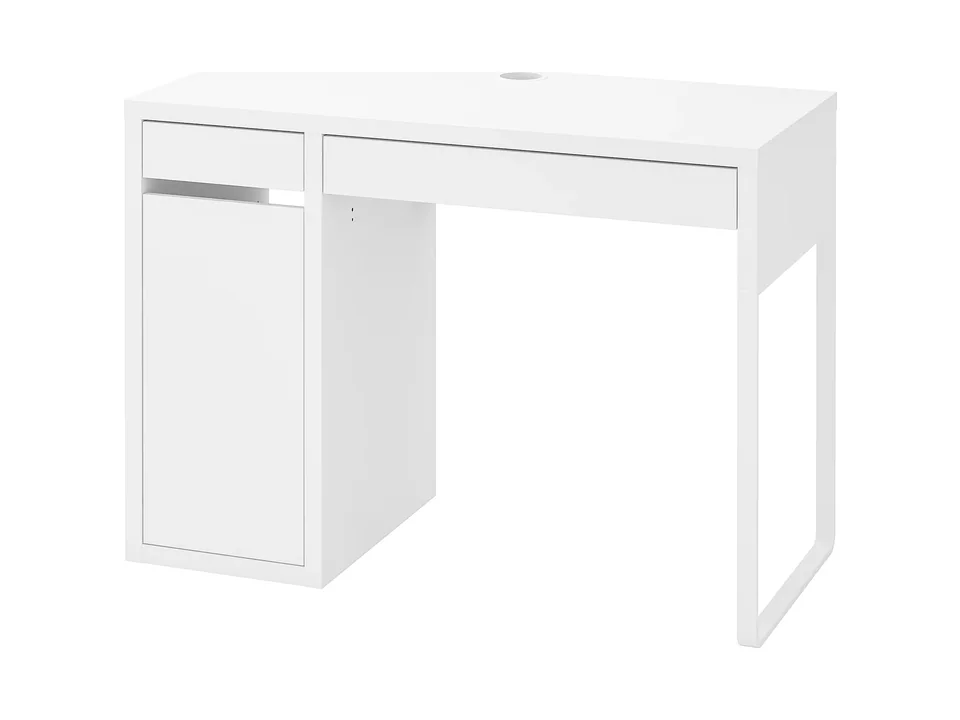
Tighter still, the IKEA MICKE is 105 x 50 cm with a drawer, a cabinet and a cable outlet. At 50 cm deep it takes a 24-inch screen comfortably and nothing bigger.


The monitor: 24 to 27 inches
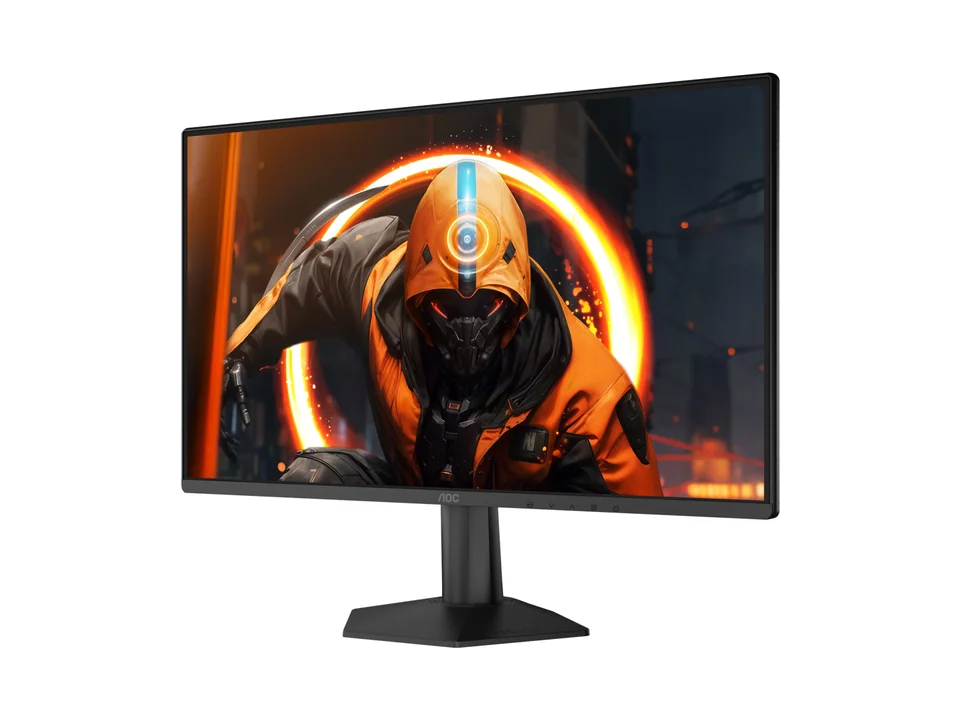
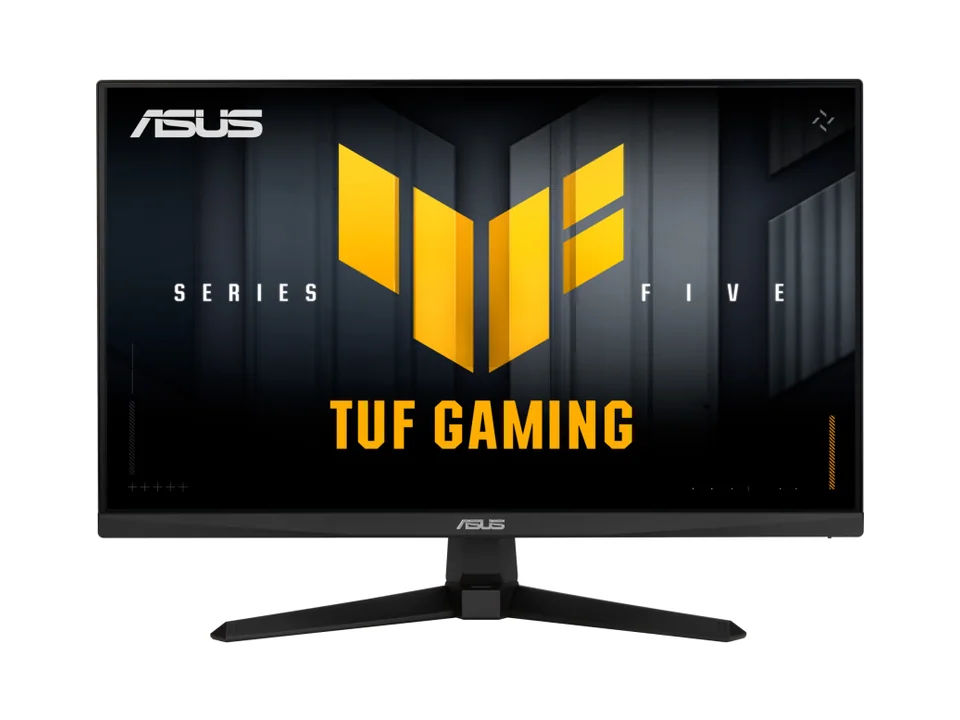
On a 60 cm desk, a 24-inch screen is the comfortable size and a 27-inch is the maximum. The AOC 24G50F (France only) is 54 cm wide with a 17.5 cm deep stand, and runs 1080p at up to 180 Hz. In both markets, the ASUS TUF Gaming VG259QM5A is 56 cm wide and 17.4 cm deep on its stand, and runs 1080p at 240 Hz. The LG UltraGear 27GX704A-B has a real diagonal of 26.5 inches, so it is a little narrower than most 27-inch screens, and its 1440p OLED panel is the most impressive picture you can fit in a corner. The ASUS TUF Gaming VG27AQ5A (France only) and the white ASUS ROG Strix XG27ACG-W (US only) are the 1440p IPS options. Our guide to monitor size and resolution explains the viewing distance behind these sizes.
AOC Monitor
AOC Gaming 24G50F
- 23.8"
- 1920 × 1080
- 180 Hz


On a solid desk like MITTZON, an arm is the best space upgrade there is: the stand foot disappears and you can push the screen back. The Amazon Basics gas spring arm holds screens up to 27 inches and 7 kg. See our monitor arm picks for sturdier options.

Amazon Basics Monitor arm
A basic gas spring arm for one 15 to 27 in monitor weighing 4.4 to 15.4 lb, with clamp and grommet mounts.
1
The keyboard: 75% layouts
A full-size keyboard like the MX Keys S is 43 cm wide. A 75% board keeps the function row and the arrows and comes in around 33 cm, which gives the mouse its space back on a narrow desk. The Logitech G316 X 75 is 32.7 cm wide, hot-swappable and comes in black or white. The Razer BlackWidow V4 75% adds an aluminium top and a magnetic wrist rest. The Keychron Q1 Max is the premium wireless pick for typing as much as gaming, but at 1.7 kg it stays where you put it.
Smaller still: a 60% board like the Razer Huntsman V3 Pro Mini drops the arrows and function row to give the mouse every centimetre, with Rapid Trigger for FPS players; it is awkward for office work. For work, the Logitech MX Keys Mini is 29.6 cm wide and quiet. Our compact keyboard picks compare more sizes.


Mouse and mat
The Logitech G305 is compact, wireless and runs for up to 250 hours on one AA battery, so there is no charging cable on the desk. For the mat, the Logitech Desk Mat Studio Series is 70 x 30 cm: it fits a 75% keyboard and a mouse without covering a shallow desk from edge to edge.


The chair
Footprint matters when the bed is behind you. The IKEA MARKUS takes about 62 x 60 cm, with a tall mesh back, a headrest and a 10-year warranty. By comparison, the mesh Sihoo Doro C300 we like for home offices needs about 71 x 71 cm, which is a lot in a small room.

IKEA Chair
IKEA's high-back office chair with a mesh back, built-in headrest and lumbar support, and a 10-year warranty.
Task chair
Light, sound and cables
Free the desk surface wherever you can. The BenQ ScreenBar Halo 2 sits on top of the monitor and lights the desk without taking any desk space or reflecting on the screen. The IKEA TERTIAL is the cheap alternative and can be mounted on the wall instead of clamped. The Creative Pebble V3 speakers run on one USB-C cable and take almost no room. Under the desk, the IKEA FÖRSÄSONG tray clamps on without drilling, which suits rentals, and gets the power strip off the floor.


IKEA Cable organiser
IKEA FÖRSÄSONG Cable Management Tray
- Under-desk tray
Where the money goes
The computer is the largest line by far, and in a small room you pay extra for compactness: the ROG NUC costs more than a tower with the same class of performance. That is the trade. If the room allows a mid-tower on the floor, our gaming setup for 1,500 gets more performance for the money.
The rest of the setup is cheap on purpose. The desk, chair, mat, lamp, speakers and tray are all budget lines, and the monitor and keyboard sit in the middle. The money you save on furniture is what pays for the compact computer.
What to upgrade first later
- A monitor arm, if your desk takes one. No other part frees as much space.
- The light. The ScreenBar Halo 2 clears the desk better than any lamp.
- The chair, once you know how much room you really have behind you.
- Storage on the ROG NUC. Its SSD slots open without tools and take up to 4 TB.
Working more than gaming? The quiet laptop desk fits a quiet work corner into a studio flat, the home office setup has the full-size work picks, and the student setup and budget gaming setup cover the same small room on a tighter budget. You can also set the room size to small in the Setup Builder and let it suggest parts that fit.
Written by
Setuplify Lab, Editorial team
The Setuplify team builds, photographs and takes apart desk setups so you can pick parts with confidence.
See it on a desk
Setups from this guide, with every component listed.

Compact Corner
A full gaming setup in a bedroom corner, between the bed and the door.
$4,4756 of 7 parts sold here7 components

Studio Loft
A quiet bamboo desk in a sage green bedroom that doubles as a study.
$1,5196 components
Keep reading
Buying guide 4 min read
Monitor size and resolution: what fits your desk and your PC
24, 27, 32 or 34 inches? 1080p, 1440p or 4K? How desk depth, pixel density and your graphics card decide the right screen, with one pick for each size.

Best of 6 min read
The best monitor arms for one or two screens
A buy-once arm, a cheap gas spring arm, a dual arm for two screens and a white arm for light setups, plus the four checks to make before you order.
Setup guide 6 min read
The student setup: a study and gaming desk on a small budget
Desk, chair, screen, keyboard, mouse, headset, mic, speakers and lamp for a bedroom or a dorm, built around the laptop you already own. Cheap parts that do their job, and where to spend first.

Setup guide 8 min read
The quiet laptop desk: a work setup for a small apartment or a shared room
A laptop at eye level, one external screen, a compact keyboard and a silent mouse on a small desk. The work setup that fits a studio flat or a shared bedroom without waking anyone, slot by slot.

Best of 8 min read
The best compact keyboards: 60%, 65%, 75% and TKL picks
Compact keyboards for work and games, from a 60% esports board to wireless TKLs: a thin mechanical all-rounder, two Logitech office minis, a cheap Bluetooth board and gaming picks in every size.
Questions people ask
What monitor size fits a 60 cm deep desk?
A 24-inch screen is the comfortable size and 27 inches is the maximum. Choose a shallow stand, or a monitor arm if the desk can take one, to win back depth.
Is a mini gaming PC like the ASUS ROG NUC worth it?
If space really is the limit, yes: it is about 3 litres and has strong ports. You pay more than for a tower of similar performance, its RTX 5070 Laptop GPU is slower than a desktop RTX 5070 and cannot be upgraded, and it needs a 330 W external power brick.
Can I put a monitor arm on an IKEA LAGKAPTEN desk?
IKEA says the LAGKAPTEN top is not suitable for a screen stand, which rules out clamp-on monitor arms. Keep the monitor on its stand, or choose a solid desk like the IKEA MITTZON if you want an arm.