Setup guide6 min read
A complete gaming setup for 1,500: the realistic split
A new gaming tower eats most of a 1,500 budget. Here is the honest parts list, slot by slot, with two paths: buy everything new, or reuse what you own and buy a better screen.
By Setuplify Lab

Some links on this page are affiliate links: we may earn a commission, at no extra cost to you. It never changes our picks. How we make money
This is the setup for someone who wants to play recent games properly on a PC without going past roughly 1,500. It suits a first real gaming desk, or a player whose old computer no longer keeps up. The honest headline first: a new, assembled gaming tower takes most of that money on its own. What is left decides whether you buy every part new or keep some of what you already own.
So this guide gives two realistic paths around the same tower:
- Buy everything. The tower, a fast screen and budget peripherals that do their job well. Your current desk and chair stay for now.
- Reuse what you own. If you already have a keyboard, a mouse, a headset or a decent desk, move that money to a sharper screen and a better mouse.
The towers are not the same in both markets. In the US, the cheapest real gaming tower we list is the MSI Codex R2. In France, it is the LDLC PC11 ART, and we did not find a cheaper assembled gaming tower in stock there. The cards below show the live price in your market; only one of the two towers is sold where you live.
The parts
The tower: 1080p gaming with room to grow
The MSI Codex R2 (sold in the US only) pairs a 10-core Intel Core i5-14400F with an NVIDIA GeForce RTX 5050 (8 GB), 16 GB of DDR5 and a 1 TB SSD. It targets 1080p: esports and recent games at medium to high settings, with DLSS 4 helping in heavier titles. The useful detail is the case. It is a standard ATX mid-tower with a 650 W power supply, so a bigger graphics card later is a realistic upgrade. MSI also puts a USB keyboard and mouse in the box, which counts at this budget.
The LDLC PC11 ART (sold in France only) is built and tested by LDLC around a six-core Ryzen 5 5500, an RTX 5060 (8 GB), 16 GB of DDR4 and a 1 TB SSD, with LDLC's 5-year warranty. Read the small print before you order: Windows 11 is a trial, so a licence comes out of the same budget, Wi-Fi works through a USB key, and the 500 W power supply and the AM4 platform limit big upgrades later.
MSI Gaming PC
MSI Codex R2 (Core i5-14400F, RTX 5050)
- ATX tower
- 16 GB
- 1080p gaming

LDLC Gaming PC
LDLC PC11 ART (Ryzen 5 5500, RTX 5060)
- ATX tower
- 16 GB
- 1080p gaming
Want to spend less on the tower? In the US, the ZOTAC MEK 5050 uses the same RTX 5050 as the Codex with a six-core Ryzen 5 5500, a 650 W Gold power supply and two free memory slots, for less money; its system warranty is only one year. In France, the Materiel.net PC Gamer Blink costs a little less than the PC11 ART but steps down to an RTX 5050, so the PC11 ART stays our pick if you can stretch. Both anchor our budget gaming setup, which builds a full desk around them.

ZOTAC Gaming PC
ZOTAC GAMING MEK 5050 (Ryzen 5 5500, RTX 5050)
- Micro-ATX
- 16 GB
- 1080p gaming

Materiel.net Gaming PC
Materiel.net PC Gamer Blink (Ryzen 5 5500, RTX 5050)
- Micro-ATX
- 16 GB
- 1080p gaming
If you are weighing these against something bigger, our gaming PC picks cover the whole ladder, and how to choose a gaming PC explains which part matters for which resolution.
The monitor: match the screen to the graphics card
Both towers are 1080p machines, so the natural partner is a fast 1080p screen. In France that is the AOC 24G50F: a 23.8-inch IPS panel at 144 Hz, or 180 Hz with AOC's overclock mode, with Adaptive-Sync to avoid tearing. It costs very little next to the tower. The stand only tilts, but the VESA holes accept an arm later.
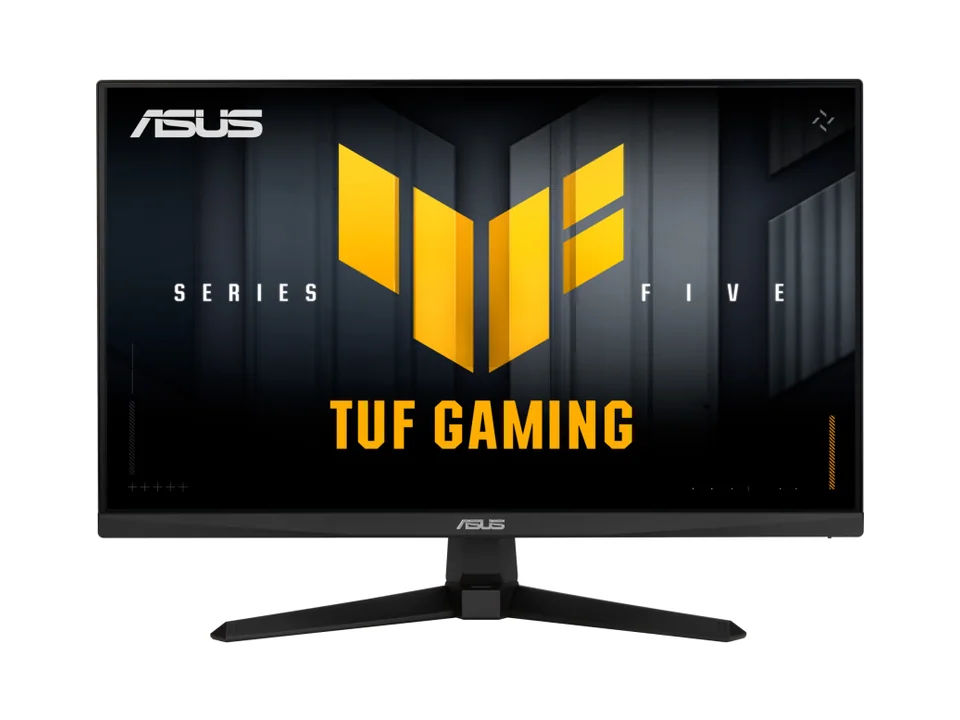
In the US, where the AOC is not sold, the ASUS TUF Gaming VG259QM5A is the 1080p match: a 24.5-inch Fast IPS panel at 240 Hz with G-Sync Compatible support and two HDMI ports, also sold in France. Its stand only tilts. If you would rather buy a screen for the next graphics card, the LG UltraGear 27GX704A-B is a 1440p OLED at 240 Hz. On the Codex, treat it as a screen bought for the next graphics card: the RTX 5050 runs out of breath at 1440p in heavy new games, so you will lean on DLSS and lower settings until then. The glossy panel reflects lamps and windows, so think about where it faces.
On the reuse path in France, the ASUS TUF Gaming VG27AQ5A is the cheapest way to a sharp 27-inch 1440p screen, at up to 210 Hz. Use DisplayPort for the full refresh rate (its HDMI ports are 2.0). The same caveat applies: the PC11 ART is tuned for 1080p, so DLSS 4 does more of the work at 1440p.
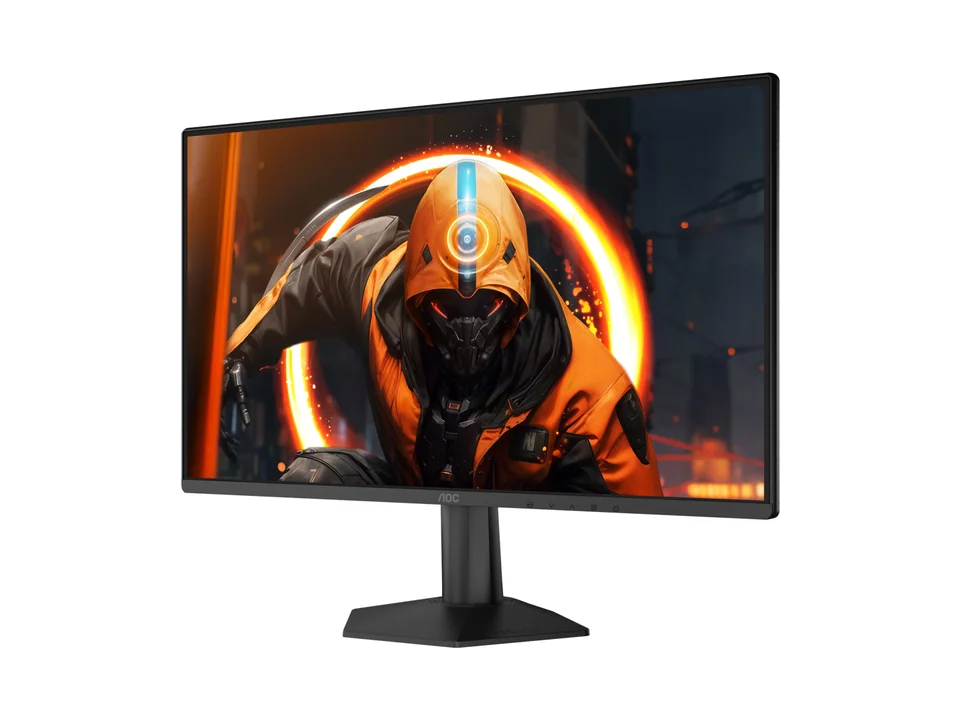
AOC Monitor
AOC Gaming 24G50F
- 23.8"
- 1920 × 1080
- 180 Hz


Keyboard and mouse
On the buy-everything path, spend little here, but spend it well. The Razer Ornata V3 X is a quiet full-size membrane keyboard with a wrist rest in the box. It has no mechanical feel, but it is spill resistant and easy to live with in a shared room. For the mouse, the wired Razer Cobra weighs 58 g and uses durable optical switches, and the Logitech G305 adds LIGHTSPEED wireless on one AA battery rated for up to 250 hours. The wired Logitech G203 LIGHTSYNC is the cheapest safe pick of all: a classic 85 g shape, 1,000 Hz and settings stored on the mouse.
If you keep your current keyboard, put the difference into the mouse. The Razer DeathAdder V3 is a 59 g ergonomic wired mouse with a true 8,000 Hz mode, one of the best gaming mice for the money.


Headset
The Razer BlackShark V2 X weighs 240 g and plugs into anything with a 3.5 mm jack, a console controller included. The HyperX Cloud Stinger 3 is the other cheap choice, with a boom mic that mutes when you flip it up and ear cups that rotate flat. If you already own something to listen with, the HyperX Cloud III is the comfortable step up: a metal frame, a detachable mic, and DTS Headphone:X through its USB dongle. Want wireless? The SteelSeries Arctis Nova 5 weighs 265 g, lasts up to 60 hours and switches to Bluetooth for your phone, but this version does not support Xbox.


Mouse pad
A large cloth pad does more for your aim than its price suggests. The SteelSeries QcK Heavy XXL covers 900 x 400 mm, takes a full keyboard and still leaves room for low-sensitivity swipes, and its thick rubber base stays put.

SteelSeries Desk mat
A 90 x 40 cm cloth gaming mat with a thick rubber base that covers the keyboard and mouse area in one piece.
900 x 400 x 4 mmCloth
Desk and chair: keep yours for now
At this budget the tower leaves no room for furniture. Keep your current desk and chair and plan them as the next purchase. When that time comes, the IKEA LAGKAPTEN / ALEX desk and the IKEA MARKUS chair are the cheapest proper pair we list. One warning: IKEA says this desk is not suitable for a screen stand, which rules out clamp-on monitor arms, so keep the screen on its own foot.


Where the money goes
On the buy-everything path, the tower takes the large majority of the budget. The screen is the second line, and in France the 24-inch AOC keeps it small. Keyboard, mouse, headset and pad together cost less than the screen. In France, set a slice aside for the Windows licence the PC11 ART needs after its trial.
On the reuse path, the tower costs the same, but the money you would have spent on peripherals moves to the screen and the mouse: the two parts you look at and hold for every second of play.
What we would not do: pick a cheaper, unknown tower to afford a premium headset. The graphics card decides what you can play, the rest decides how comfortable it feels.
What to upgrade first later
- The chair, if you sit on a dining chair. Long sessions hurt before low frame rates do. Our gaming chair picks start at sensible prices.
- The screen, if you started on the 24-inch AOC: move to 1440p together with your next graphics card.
- The graphics card. The Codex's 650 W power supply leaves room for a bigger card. On the PC11 ART, a big card also means a new power supply.
- Memory. 16 GB is the minimum for current games. Check which memory slots are free before you buy a second kit.
- Light. A clamp lamp or a monitor light bar makes evening sessions easier on the eyes. Our list of cheap desk upgrades has the options.
Curious about the next step? The gaming setup for 2,500 moves to an RTX 5070 tower and better peripherals, and the student setup goes the other way. For a full desk with a chair and a desk on a smaller budget, see the budget gaming setup. Or drop the parts you already own into the Setup Builder and let it fill the gaps for your market.
Written by
Setuplify Lab, Editorial team
The Setuplify team builds, photographs and takes apart desk setups so you can pick parts with confidence.
See it on a desk
Setups from this guide, with every component listed.

First Light
A first gaming setup in a bedroom, spending where it counts.
$5706 of 8 parts sold here8 components

Compact Corner
A full gaming setup in a bedroom corner, between the bed and the door.
$4,4756 of 7 parts sold here7 components

Budget Frag
A full 1080p gaming desk at entry-level money, with a 320 Hz screen and RGB everywhere it is free.
$1,8848 components
Keep reading
Setup guide 8 min read
The budget gaming setup: the cheapest full desk that plays recent games
An entry RTX 5050 tower, a fast 1080p screen, a cheap mouse, keyboard and headset, then a real chair and a desk. The full budget gaming desk, slot by slot, and how it differs between the US and France.
Setup guide 6 min read
A complete gaming setup for 2,500: 1440p done properly
An RTX 5070 tower, a fast 1440p screen, premium mouse and keyboard, a wireless headset and the chair question. The full parts list by slot, and where the money really goes in each market.
Setup guide 6 min read
The student setup: a study and gaming desk on a small budget
Desk, chair, screen, keyboard, mouse, headset, mic, speakers and lamp for a bedroom or a dorm, built around the laptop you already own. Cheap parts that do their job, and where to spend first.

Best of 7 min read
The best gaming PCs for 1080p, 1440p and 4K
Eight prebuilt gaming towers on sale today, ranked as a ladder from 1080p to 4K, with the market each one is sold in and the hidden costs to plan for.

Buying guide 5 min read
How to choose a gaming PC: GPU, RAM, storage and the traps to avoid
Start from your monitor, then pick the graphics card, RAM, storage and case. A step-by-step guide with real examples, including the Windows licence trap.
Questions people ask
Can you build a complete gaming setup for 1,500?
Yes, but the tower takes most of it. With an entry 1080p gaming tower, a budget screen, keyboard, mouse, headset and pad, you reach the budget while keeping your current desk and chair. Reusing peripherals you already own frees money for a better screen.
Should I pair a 1080p gaming PC with a 1440p monitor?
Only if you plan to upgrade the graphics card. Towers like the MSI Codex R2 or the LDLC PC11 ART target 1080p, so at 1440p you lean on DLSS and lower settings in heavy games. A 1440p screen makes sense as a purchase for the next card.
Do LDLC gaming PCs include Windows?
No. LDLC PCs such as the PC11 ART and PC11 VOLT SEVENTY ship with a Windows 11 trial, so you need to buy a licence after a month. Count it in your budget.