Buying guide5 min read
How to choose a gaming PC: GPU, RAM, storage and the traps to avoid
Start from your monitor, then pick the graphics card, RAM, storage and case. A step-by-step guide with real examples, including the Windows licence trap.
By Setuplify Lab

Some links on this page are affiliate links: we may earn a commission, at no extra cost to you. It never changes our picks. How we make money
Most gaming PC regrets come from one mismatch: a powerful tower behind a 1080p screen, or a budget machine asked to drive 4K. So start from the monitor, not from the PC. Decide the resolution and refresh rate you want, pick the graphics card that matches, then make sure the rest of the machine (RAM, storage, power supply, case) does not hold that card back or cost you extra later.
This guide walks through each decision with real towers on sale today. If you only want the shortlist, go straight to our best gaming PCs.
Step 1: match the graphics card to your screen
The graphics card (GPU) decides how many frames per second you get at a given resolution, and it is the biggest single part of the price. Here is how the current NVIDIA cards line up with screen resolutions in recent games:
- 1080p: RTX 5050 or RTX 5060. The MSI Codex R2 (RTX 5050) and the LDLC PC11 ART (RTX 5060) live here, as do the even cheaper ZOTAC MEK 5050 and Materiel.net PC Gamer Blink, both with an RTX 5050.
- 1440p: RTX 5070. This is the sweet spot for most players, and where most of our picks sit. An RTX 5060 Ti with 16 GB of video memory is the budget way in.
- 4K: RTX 5080. The MSI MPG Infinite X3 AI and the NZXT Player Three both use it.
DLSS 4, supported by all these cards, renders at a lower resolution and upscales the image, which helps a lot in heavy games. It stretches each tier, but it does not turn a 1080p card into a 4K card.
Watch the word Laptop in a GPU name. The ASUS ROG NUC (2025) uses an RTX 5070 Laptop GPU, which is slower than the desktop RTX 5070. Not sure which resolution you need? Read our monitor size and resolution guide first.
Step 2: prebuilt or build your own?
Building your own PC lets you choose every part and often saves money, but you handle compatibility, assembly, the Windows licence and a separate warranty for each component. A prebuilt tower is one box, one warranty and a machine tested before it ships.
- Warranty: LDLC covers its towers for 5 years, which also applies to the MSI tower it sells, and Materiel.net gives 5 years on its own towers. NZXT and MSI give 2 years, and ZOTAC covers its MEK for one year (three on the graphics card).
- Extras in the box: the MSI Codex R2 and the ASUS ROG G700 come with a keyboard and mouse, fine for a start.
- Standard parts: a prebuilt built from standard ATX parts, like the NZXT Player Three, keeps most of the freedom of a custom build for future upgrades.
Step 3: the processor
For gaming at 1440p and 4K, the graphics card does most of the work, so a mid-range CPU is enough. The processor matters more in two cases. First, high-refresh esports: the HP OMEN 35L and the NZXT Player Three use the Ryzen 7 9800X3D, a very fast gaming chip thanks to its 96 MB of L3 cache. Second, streaming or video exports while you play: the 20-core Core Ultra 7 265F in the ROG G700 has cores to spare.
Step 4: RAM, and the single-stick trap
16 GB is the minimum for current games. 32 GB is comfortable if you stream, keep a browser and Discord open, or edit video.
How the memory is installed matters as much as the amount. Two sticks run in dual channel, which gives the processor more bandwidth. Some prebuilts ship 16 GB on a single module: the HP OMEN 35L and the ASUS ROG G700 both do. They work fine, but plan a second matching stick. The LDLC PC11 VOLT SEVENTY and the NZXT Player Three ship with two 16 GB sticks from the start.
Step 5: storage
1 TB sounds like a lot until you install a few current games. It is the standard size in most towers here, and it is the main weak point of the MSI Infinite X3 AI at its level. Plan a second SSD, or pick a tower that already has more: the NZXT Player Three ships with 4 TB. Check that the motherboard has a free M.2 slot before you buy.
Step 6: size, case and noise
- ATX mid-tower: the most room for big graphics cards and airflow. The ROG G700 measures 24 x 51 x 48 cm and the NZXT Player Three about 29 x 43 x 41 cm. Plan floor space.
- Micro-ATX: a little smaller, like the HP OMEN 35L (21 x 40.8 x 41 cm, 14.5 kg) or the VOLT SEVENTY.
- Mini PC: the ROG NUC is about 3 litres, fits on a shelf or under a TV, and has tool-free access to RAM and SSD. In exchange, the GPU is a laptop chip that cannot be replaced, and power comes from an external brick.
Noise follows cooling. Larger cases with more fans can spin them slower at the same temperature, and liquid coolers like the 240 mm unit in the OMEN or the 360 mm Kraken in the NZXT move heat away from the CPU quietly. If the PC sits on the desk next to you, a roomy case usually beats a cramped one.
Step 7: power supply and upgrade path
The power supply sets how far you can upgrade. The PC11 ART has a 500 W unit, the Codex R2 and the VOLT SEVENTY 650 W, and the OMEN, ROG G700, MSI Infinite and NZXT 850 W. A bigger graphics card later is realistic on 650 W and comfortable on 850 W.
The platform matters too. The two LDLC towers use AMD's AM4 socket and DDR4, which will not take newer processors: a fine machine today, with a limited upgrade path. Newer boards like the B850 in the OMEN and NZXT, or the Z890 in the MSI Infinite, leave more room.
Step 8: count the hidden costs
- Windows licence. LDLC towers ship with a Windows 11 trial, so you need to buy a licence after a month. The Materiel.net PC Gamer Blink is also sold with a trial. Other brands here, like MSI with Windows 11 Home on the Codex R2 or ZOTAC on the MEK 5050, include it. Check the product page.
- Wi-Fi. The PC11 ART gets Wi-Fi from a USB key. If you cannot run an Ethernet cable, prefer a tower with built-in Wi-Fi.
- Second RAM stick or SSD, as covered above.
LDLC Gaming PC
LDLC PC11 VOLT SEVENTY (Ryzen 7 5700X, RTX 5070)
- Micro-ATX
- 32 GB
- 1440p gaming

ASUS Gaming PC
ASUS ROG G700 (2025) G700TF-DS774 (Core Ultra 7 265F, RTX 5070)
- ATX tower
- 16 GB
- 1440p gaming

HP Gaming PC
HP OMEN 35L GT16-1022nf (Ryzen 7 9800X3D, RTX 5070)
- Micro-ATX
- 16 GB
- 1440p gaming
Your checklist
- Choose the monitor resolution and refresh rate (our refresh rate explainer helps).
- Pick the GPU tier that matches: RTX 5050 or 5060 for 1080p, 5070 for 1440p, 5080 for 4K.
- Check RAM: at least 16 GB, ideally two sticks.
- Check storage: 1 TB minimum, with a free M.2 slot.
- Check the case size against your desk or floor.
- Check the power supply and platform if you plan to upgrade.
- Add the Windows licence, Wi-Fi and missing RAM to the real price.
Ready to compare? Browse all gaming PCs, see our picks by tier and our budget picks, find a matching screen in our gaming monitor guide, or build the whole desk in the Setup Builder.
Written by
Setuplify Lab, Editorial team
The Setuplify team builds, photographs and takes apart desk setups so you can pick parts with confidence.
Keep reading
Best of 7 min read
The best gaming PCs for 1080p, 1440p and 4K
Eight prebuilt gaming towers on sale today, ranked as a ladder from 1080p to 4K, with the market each one is sold in and the hidden costs to plan for.

Best of 7 min read
The best budget gaming PCs for 1080p, in the US and in France
The cheapest prebuilt gaming towers worth buying today, market by market, with the Windows licence, RAM and power supply traps that change the real price.

Buying guide 4 min read
Monitor size and resolution: what fits your desk and your PC
24, 27, 32 or 34 inches? 1080p, 1440p or 4K? How desk depth, pixel density and your graphics card decide the right screen, with one pick for each size.
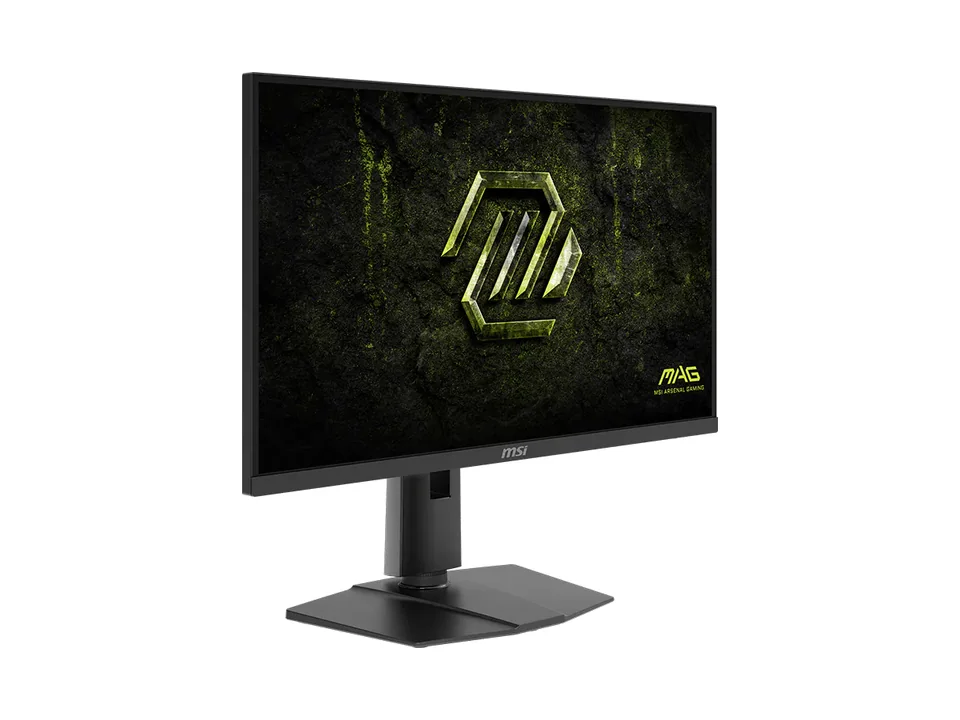
Explainer 7 min read
Monitor refresh rate explained: 144, 180, 240 or 320 Hz?
What refresh rate really changes, why your graphics card decides how much of it you see, when 240 or 320 Hz is worth it, and what dual-mode 4K and 5K screens do.

Best of 5 min read
The best gaming monitors for every kind of player
One pick per type of player: all-rounder, budget 1440p, first setup, white desk, 4K, ultrawide and sim racing. What each does well and who should skip it.
Questions people ask
Is 16 GB of RAM enough for gaming?
16 GB is the minimum for current games. It is enough if you only play, ideally on two sticks for dual channel. If you stream, keep many apps open or edit video, 32 GB is more comfortable. Some prebuilts, like the HP OMEN 35L and ASUS ROG G700, ship 16 GB on a single stick, so plan a second matching one.
Do LDLC gaming PCs come with Windows?
They come with Windows 11 installed as a trial. After a month you need to buy a licence, so add it to the real price when you compare LDLC towers with brands that include a Windows licence.
Is a gaming mini PC as fast as a tower?
Not with the same GPU name. A compact machine like the ASUS ROG NUC (2025) uses a laptop RTX 5070, which is slower than the desktop RTX 5070 in a tower, and it cannot be upgraded. You pay for the small size, not for extra performance.