Best of4 min read
The best keyboards for work, programming and ergonomics
Keyboards for long workdays: the quiet office standard, a cushioned ergonomic board, a compact for small desks, a quiet mechanical for calls, a premium mechanical for programmers and a thin wireless board that also games.
By Setuplify Lab

Some links on this page are affiliate links: we may earn a commission, at no extra cost to you. It never changes our picks. How we make money
Our picks
Ranked in the order we would recommend them. Specs and prices come from each product page.
- 1$115.49Setuplify score: 8.6/10Check price(Affiliate link)
- 2
 $59.99Setuplify score: 8.0/10Check price(Affiliate link)
 - 3
 $99.99Setuplify score: 8.4/10Check price(Affiliate link)
 - 4

Logitech MX Mechanical Mini
Developers and office desks that want mechanical keys
$159.99Setuplify score: 8.6/10Check price(Affiliate link) - 5
 $209.99Setuplify score: 8.7/10Check price(Affiliate link)
 - 6
 Best wireless
Logitech G915 X LIGHTSPEED TKL
Wireless gaming and hybrid desks that like a slim profile
$169.99Setuplify score: 8.7/10Check price(Affiliate link)
A work keyboard has one job: let you type all day without noticing it. Short answer: the Logitech MX Keys S is the best keyboard for most office desks. If your wrists complain, the Logitech Wave Keys is the easy way into an ergonomic layout and costs less. Programmers who want a mechanical board should look at the Keychron Q1 Max, and if the desk also hosts your games, the Logitech G915 X LIGHTSPEED TKL covers both. On a small desk, the Logitech MX Keys Mini keeps the MX Keys feel without the number pad, and the Logitech MX Mechanical Mini brings quiet mechanical keys to an office.
How we picked
- Typing comfort first. Key feel, noise and wrist position over eight hours, not RGB or gaming features.
- Multi-device and multi-OS. Work desks often juggle a laptop, a desktop and a tablet, on more than one operating system.
- Layout for the job. Spreadsheets and accounting want a number pad. Coding and compact desks favour smaller boards that bring the mouse closer.
- Honest ergonomics. A gentle wave or a palm rest helps many people; it is not a medical fix. We say where each board stops.
Low-profile, mechanical or ergonomic?
Low-profile keys, like the scissor keys of the MX Keys S, travel less and stay quiet, close to a good laptop keyboard. Mechanical switches, like those in the Keychron Q1 Max, travel further and give a clearer feel per keypress; many programmers prefer them, but they are louder and the boards are taller. Ergonomic boards like the Wave Keys change the shape of the keyboard itself so your wrists sit in a more natural position.
Best overall: Logitech MX Keys S
The MX Keys S is the keyboard we would put on a work desk without thinking twice. Its low-profile keys are dished for your fingertips, stable and quiet, and the full layout keeps the number pad. The backlight turns on when your hands get close and adapts to the room light.
It connects over Bluetooth or the Logi Bolt USB receiver and switches between three devices with one key, across Windows, macOS, Linux, ChromeOS and iPadOS. A charge lasts up to 10 days with backlighting, or up to 5 months with it off, over USB-C.
Logitech Keyboard
A full-size wireless office keyboard with low-profile dished keys, smart backlighting and three-device switching.
Full sizeScissorWireless
Skip it if your desk is narrow (the full size takes a lot of width, so see the MX Keys Mini below), you like to tilt your keyboard (there are no adjustable feet), or you want a keyboard for games too.
Best ergonomic and best value: Logitech Wave Keys
Wave Keys is the easy way into an ergonomic keyboard. The keys follow a gentle wave and the built-in palm rest uses three layers of memory foam, so your wrists sit in a more natural position without the learning curve of a split keyboard. The compact layout still keeps a number pad, and keys are printed for both Windows and Mac.
It connects with the included Logi Bolt receiver or Bluetooth and switches between three devices with the Easy-Switch keys. Two AAA batteries are rated for up to 36 months, tilt legs add 4 degrees, and Logi Options+ remaps keys per app. It was developed in the Logi Ergo Lab and certified by United States Ergonomics.
Logitech Keyboard
A wireless wave-shaped ergonomic keyboard with a memory foam palm rest, number pad and up to 3 years on two AAA batteries.
Full sizeWireless
Skip it if you need a backlight, or your desk is shallow: with the palm rest it is 219 mm deep.
Best compact: Logitech MX Keys Mini
The MX Keys Mini is the MX Keys S without the number pad. It is only 296 mm wide, so the mouse sits closer to your shoulder, and at about 500 g it travels well between home and the office. You keep the same dished low-profile keys and smart backlight, plus dictation, emoji and mic mute keys in the top row. It switches between three devices over Bluetooth Low Energy, and a charge lasts up to 10 days with the backlight, or up to 5 months without.
Logitech Keyboard
A compact wireless keyboard with the MX Keys typing feel, smart backlighting, three-device switching and no number pad.
Low profileScissorWireless
Skip it if you type numbers all day, or your desktop has no Bluetooth: there is no receiver in the box (a Logi Bolt receiver is sold separately).
Best quiet mechanical: Logitech MX Mechanical Mini
Want mechanical keys without bothering the people on your calls? The MX Mechanical Mini is a 75% board with low-profile Tactile Quiet switches: a bump on each keypress, no click. It is 26 mm high, so most people need no wrist rest, and it comes with both Bluetooth and a Logi Bolt receiver, switches between three devices and lasts up to 10 months per charge with the backlight off.
Skip it if you want to swap switches or remap every key: the switches are soldered, and the Keychron Q1 Max below goes much further with QMK. Our Quiet Hours setup builds a silent desk around it. For all compact options, read the best compact keyboards.
Best for programmers: Keychron Q1 Max
The Q1 Max is the custom-keyboard feel without the build project. It is a full metal 75% board with a gasket-mounted plate, a volume knob, double-shot PBT keycaps and hot-swappable switches, so you can try other switches later without soldering. It ships with Gateron Jupiter Red (linear), Brown or Banana switches, and Mac and Windows keycaps are both in the box.
For developers, the firmware is the draw: it runs QMK, so every key, layer and macro can be remapped from Keychron's web app. It connects over 2.4 GHz, Bluetooth to up to three devices, or a cable, and the 4000 mAh battery is rated for up to 180 hours.
Keychron Keyboard
A 1.7 kg aluminium 75% keyboard with hot-swap switches, a knob, and 2.4 GHz, Bluetooth or USB-C connections.
75%LinearWired + wireless
Skip it if you carry your keyboard around (it weighs 1,724 g), dislike tall cases (plan on a wrist rest), or need AZERTY in France, where that version is often out of stock.
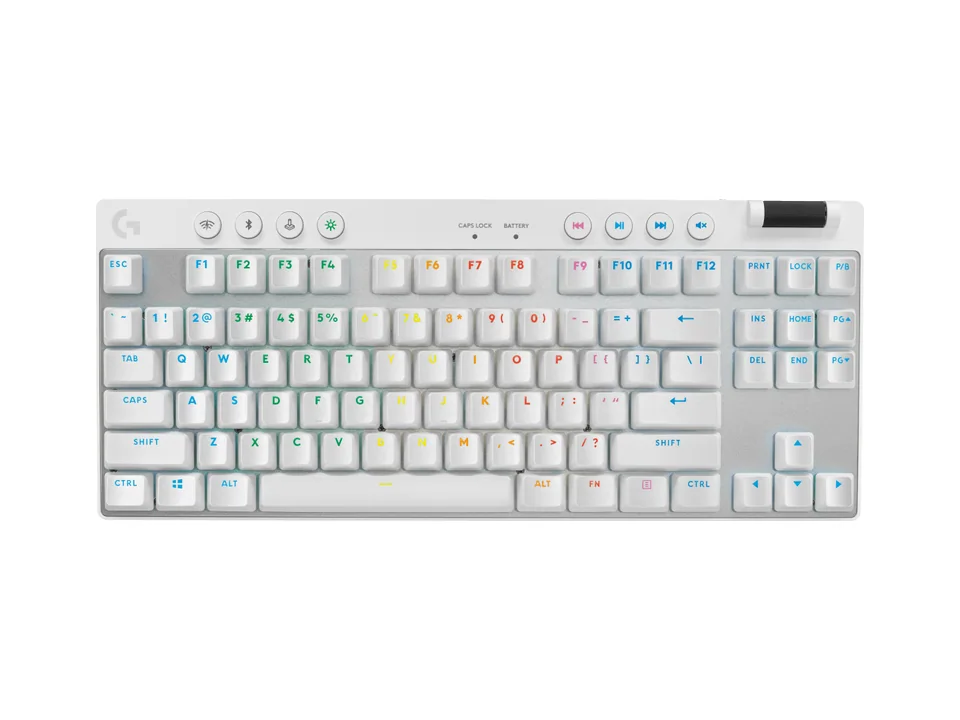
Best for work and play: Logitech G915 X LIGHTSPEED TKL
If one desk handles work by day and games at night, the G915 X TKL avoids owning two keyboards. It is only 22.6 mm tall, close to the low profile of an office board, with low-profile GL mechanical switches, an aluminium top plate and PBT keycaps. Pair it over Bluetooth with the work laptop and over LIGHTSPEED with the gaming PC, then switch with a button. With lighting off, Logitech rates the battery at up to 1,000 hours.
Logitech Keyboard
A 22.6 mm thin wireless TKL gaming keyboard with low-profile GL switches, LIGHTSPEED, Bluetooth and an aluminium top plate.
TenkeylessLinearWired + wireless
Skip it if you need a number pad or multi-device switching across three computers, or the price feels high for a TKL.
Quick summary
- Most office desks: Logitech MX Keys S.
- Sore wrists, or the best price: Logitech Wave Keys.
- Small desk or laptop bag: Logitech MX Keys Mini.
- Mechanical keys, quiet on calls: Logitech MX Mechanical Mini.
- Programmers who want mechanical and remapping: Keychron Q1 Max.
- One keyboard for work and games: Logitech G915 X LIGHTSPEED TKL.
Not sure which size you need? Keyboard sizes explained compares full size, TKL and 75% in millimetres. Complete the desk with a mouse from our best mice for work, read the ergonomic desk setup guide for chair and screen height, or build the whole workstation in the Setup Builder. Every model is in all keyboards.
Written by
Setuplify Lab, Editorial team
The Setuplify team builds, photographs and takes apart desk setups so you can pick parts with confidence.
See it on a desk
Setups from this guide, with every component listed.

Quiet Hours
A calm home office in bamboo and felt, built for long days of video calls and focused work.
$2,48610 components

Standing Ops
A sit/stand home office set up for back-to-back video calls.
$1,84511 of 12 parts sold here12 components

Night Shift Dev
A curved ultrawide, a vertical screen and a split keyboard for long coding nights.
$4,6449 of 10 parts sold here10 components
Keep reading

Best of 5 min read
The best mice for work: ergonomic, vertical and budget picks
The mice we would put on a work desk today: a full-featured ergonomic mouse, a vertical mouse for sore wrists, a work-and-play option, a budget pick for students and a silent mouse for laptops.

Best of 8 min read
The best compact keyboards: 60%, 65%, 75% and TKL picks
Compact keyboards for work and games, from a 60% esports board to wireless TKLs: a thin mechanical all-rounder, two Logitech office minis, a cheap Bluetooth board and gaming picks in every size.
Explainer 7 min read
Keyboard sizes explained: full size, TKL, 75%, 65% and 60%
What each keyboard size keeps and drops, how wide each one really is on the desk, and which size suits gaming, office work, coding and small desks, with a real keyboard for each.

How to 4 min read
How to set up an ergonomic desk, step by step
Chair first, then desk height, monitor height and distance, keyboard and mouse, and lighting: the order that works, with our gear picks for each step.

Best of 6 min read
The best gaming keyboards, from Rapid Trigger to tight budgets
Gaming keyboards on sale today: analog boards for competitive shooters (TKL and 60%), two wireless TKLs, a moddable RGB 75%, a white 75%, a macro full-size and a budget pick. Who each one is for.
Questions people ask
Is a mechanical keyboard good for programming?
Many developers prefer one for the clear feel of each keypress. The Keychron Q1 Max adds QMK remapping, so you can build layers and macros for your editor. It is heavier, taller and louder than a low-profile board like the MX Keys S, so try both feels if you can.
Does the Logitech Wave Keys take time to get used to?
Very little. Its wave is gentle and the layout is standard, unlike a split keyboard that needs you to relearn typing. Most of the change is the cushioned palm rest, which also makes it 219 mm deep.