 Cheaper
IKEA Cable organiser
IKEA FÖRSÄSONG Cable Management Tray
- Under-desk tray
$12.99Setuplify score: 7.2/10
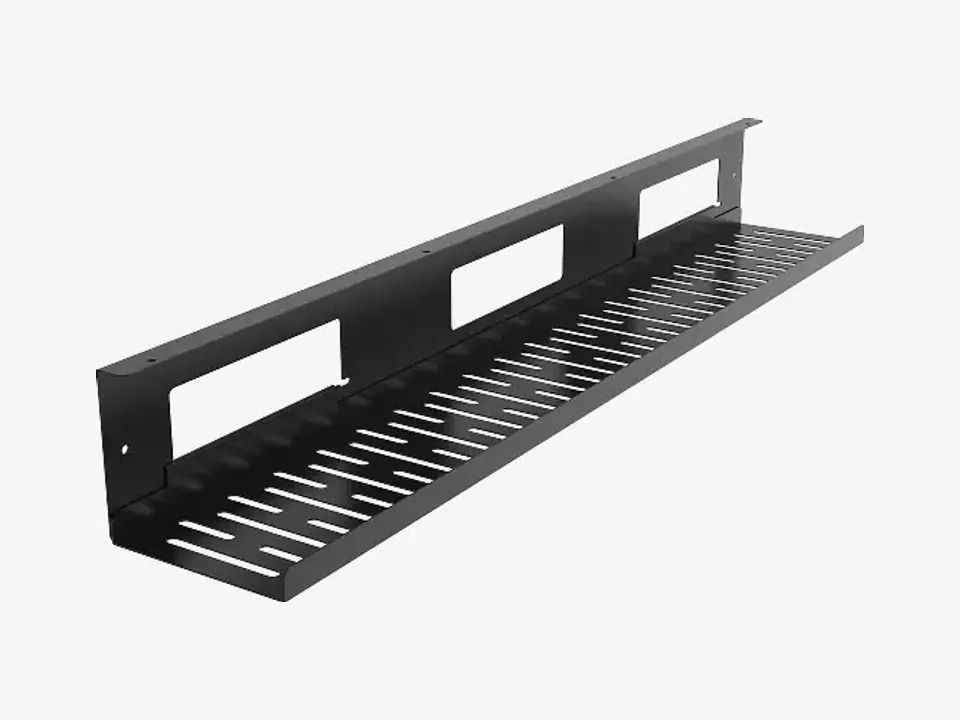
A sturdy metal tray that hides a whole power strip and its cables under a standard desk.
In stock
We may earn a commission when you buy through our links, at no extra cost to you. How we make money
| Type | Under-desk tray |
|---|---|
| Length | 800 mm |
| Model number | CMP051 (US) / CMP051L (FR) |
The CMP051 is a long open tray in black sheet steel: 80 cm wide, 12 cm deep and 10 cm high. Under the desk it takes a power strip, the laptop and monitor bricks and the extra length of every cable, so nothing hangs down to the floor. The slotted bottom lets heat out of the adapters, and a raised rail along the edge stops a router or a plug from sliding off.
FlexiSpot rates it for 2 kg, which covers a power strip and a few adapters but not a heavy UPS or a router stack. At 80 cm it suits desks that are wide enough between the legs; on a small desk, IKEA's 38 cm FÖRSÄSONG clamps on without drilling and costs much less. In France it is sold as CMP051L, in black, grey or white.
Cheaper, better or just different: the products we would weigh against this one.
CheaperIKEA Cable organiser
 Cheaper
IKEA Cable organiser
 Step up
Oakywood Cable organiser
 Similar
Secretlab Cable organiser
How to 5 min read
Get the power strip off the floor, route every cable along one path and cut the cables to your laptop down to one, with cheap IKEA parts and a few smart upgrades.

Setup guide 8 min read
Plug in one USB-C cable and get your monitors, keyboard, network and charging: which dock fits your laptop, how to raise or park the laptop, and where to hide the rest.